Slowed + reverb
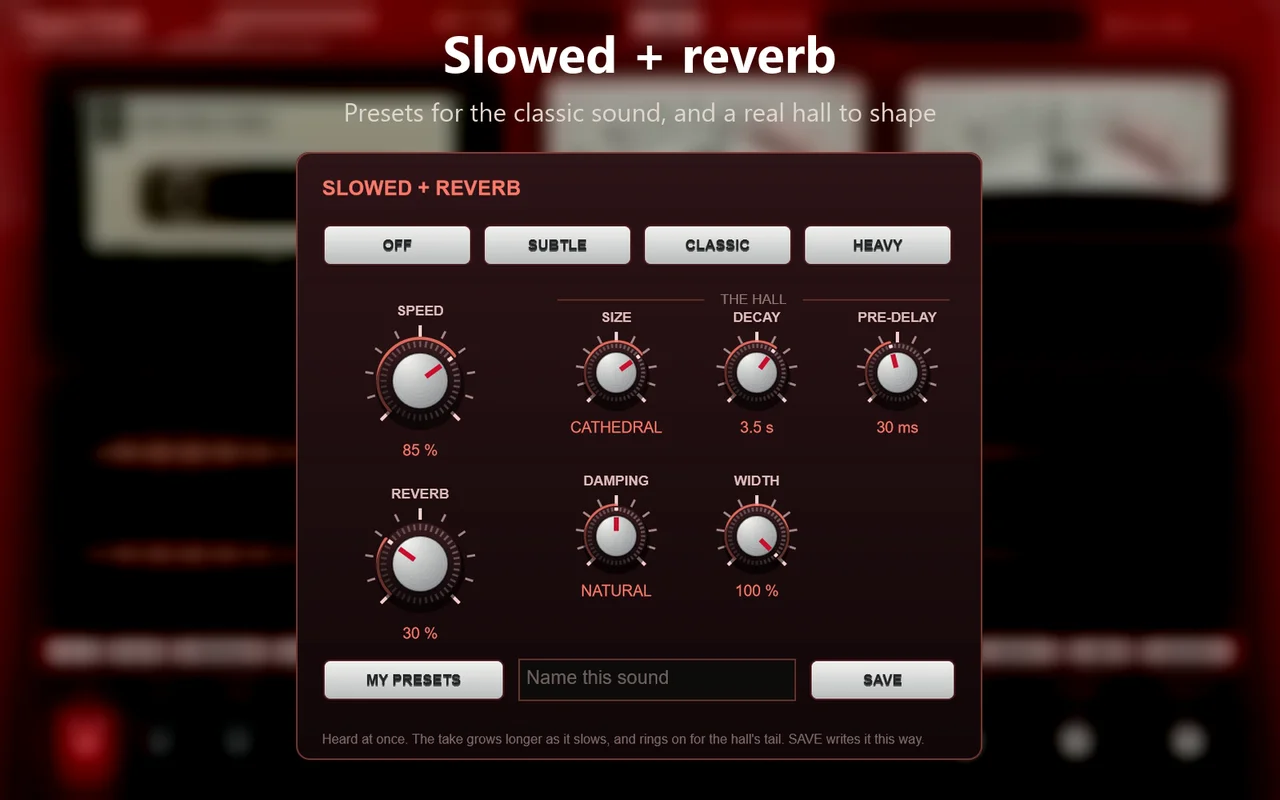
Slowed + reverb in one click: SUBTLE, CLASSIC and HEAVY presets based on the popular edits, a real hall with size, decay, pre-delay, damping and width, and your own sounds saved as presets.
 BlackApples/TapeTalk
Even the 30 seconds before you hit REC. TapeTalk names and splits every song for you, cleans up hum and crackle, and saves tagged MP3, WAV, OGG or AAC, from a cassette deck that looks the part.
Secure checkout · activation code shown automatically after payment.
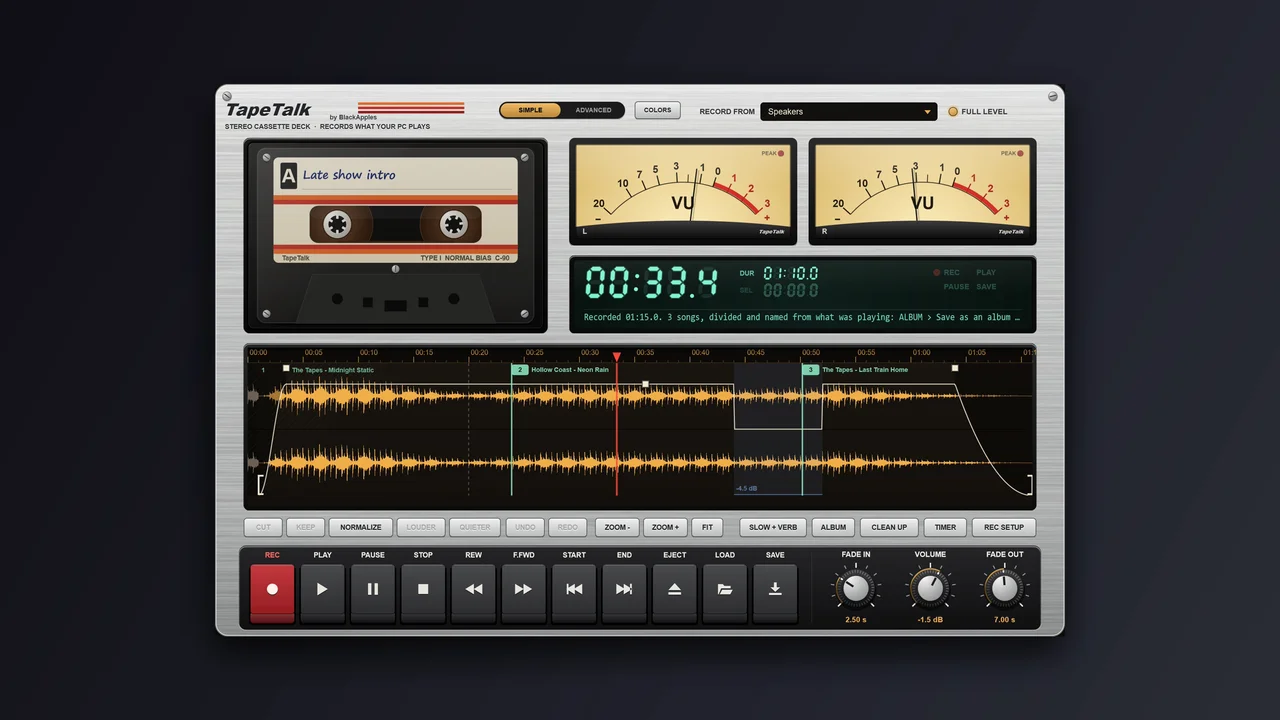
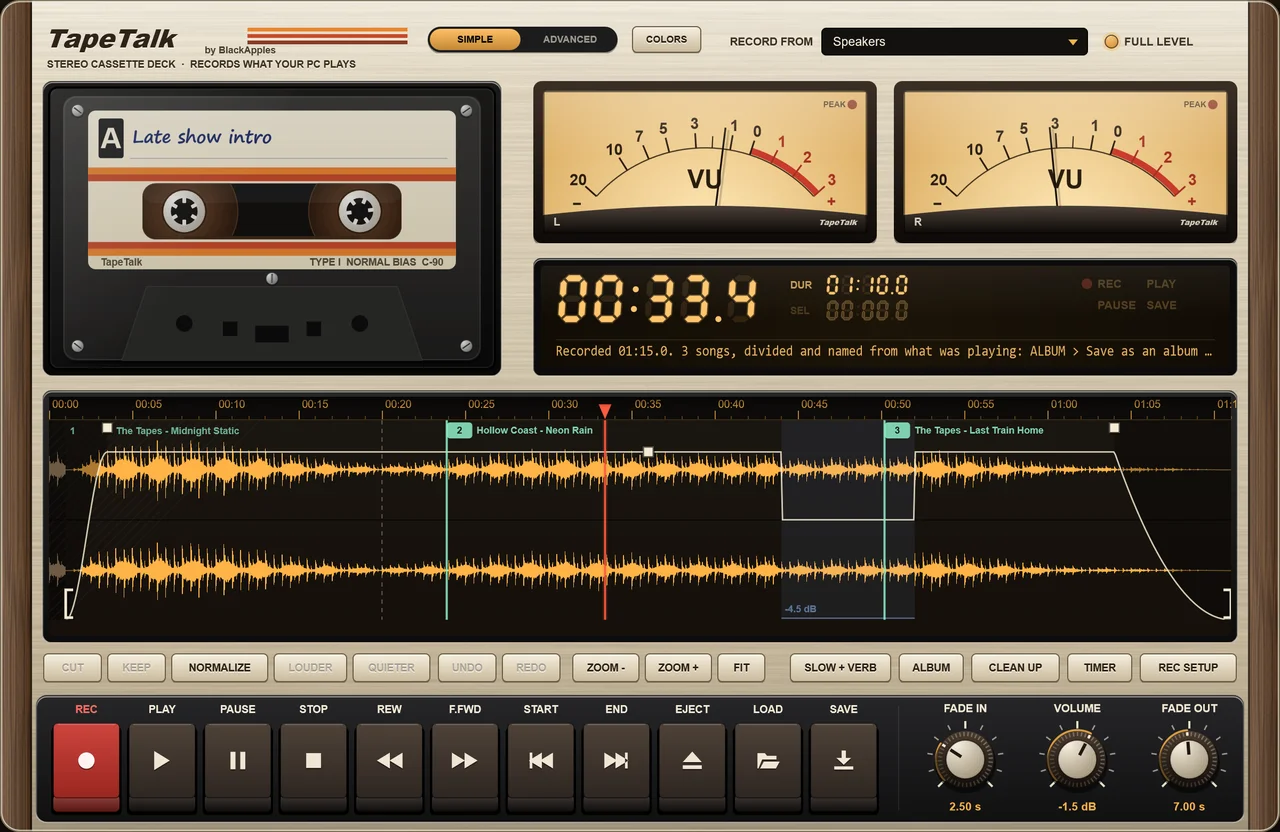
Brushed silver, walnut, cherry lacquer, 8-track woodgrain, interrogation-room grey, polygraph cream, Future Tech glass, alien hardware, 1940s Bakelite, and Studio black.
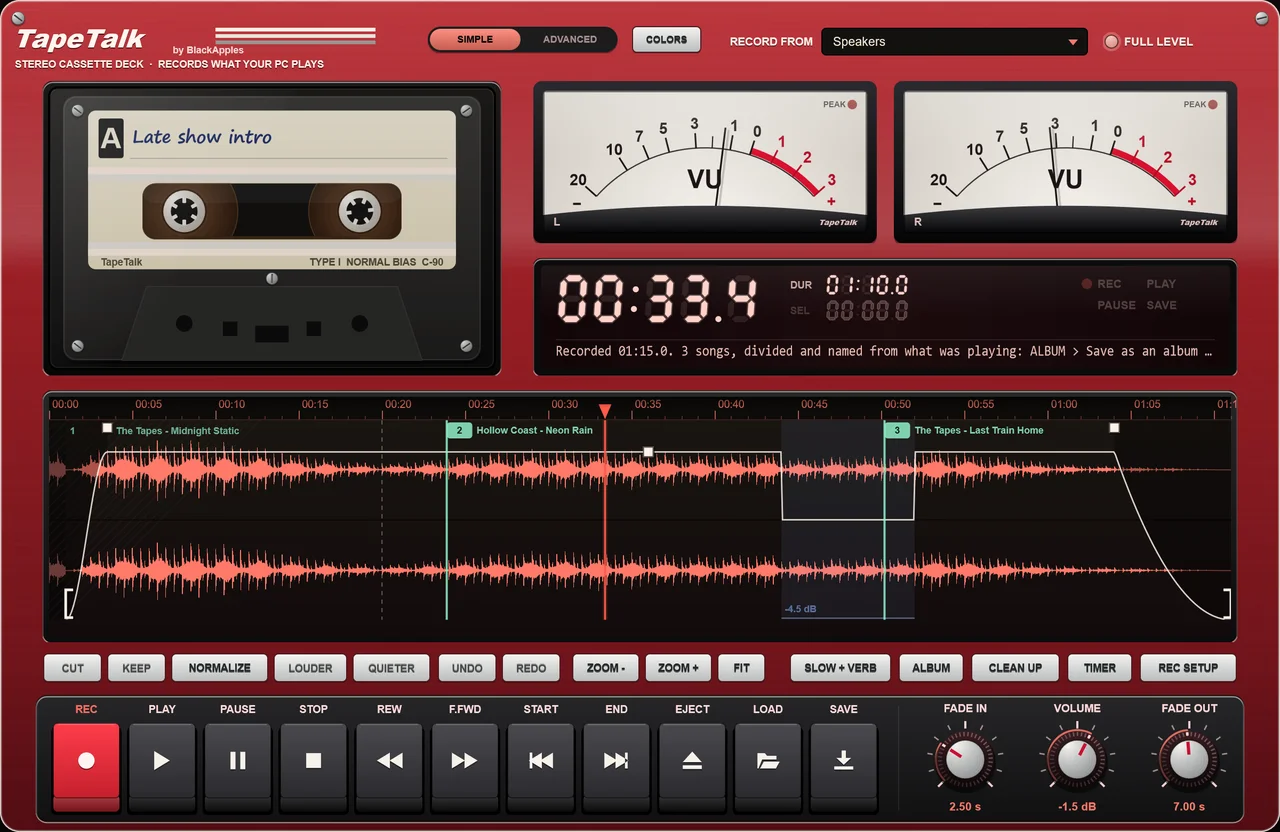

CherrySame app. A different character.
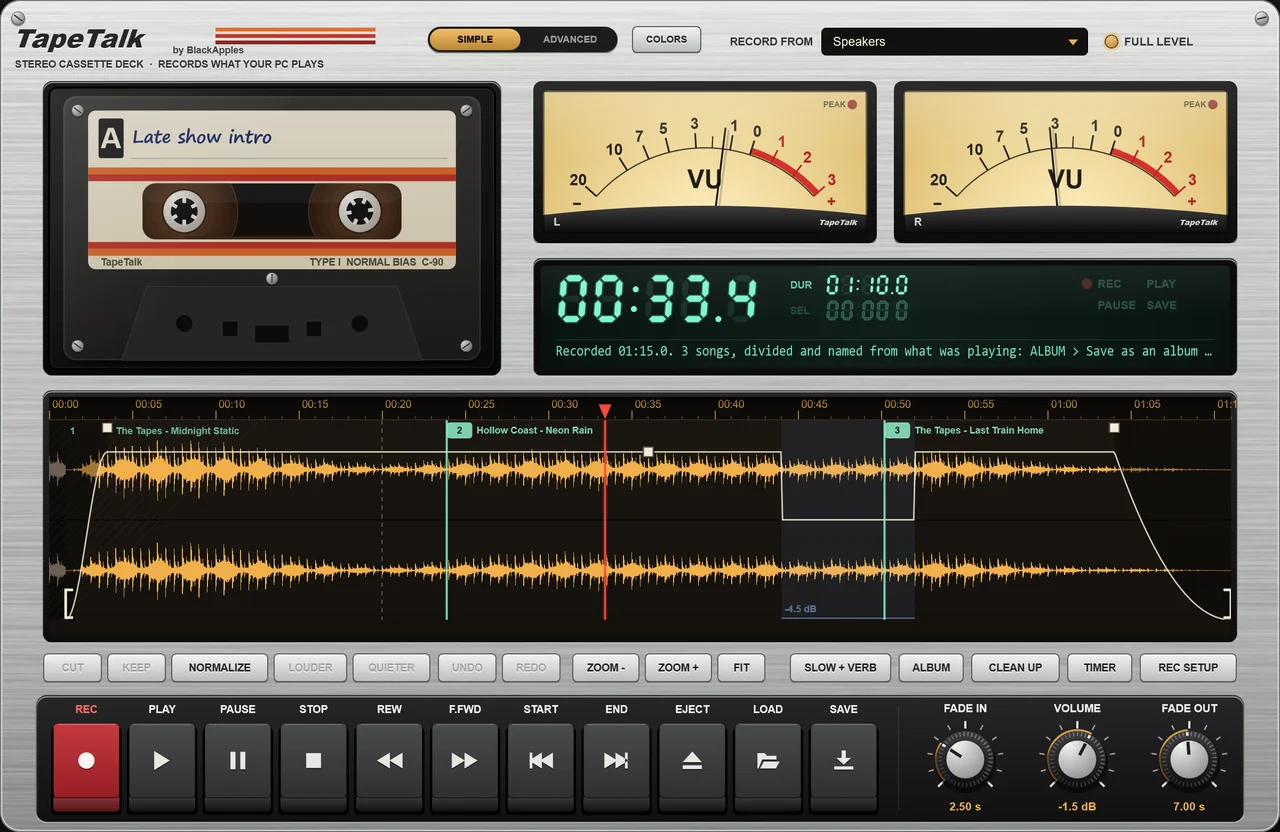
TapeTalk keeps the last 30 seconds of what your PC plays, in memory only. REC starts the take with them, so you never miss the start of the song you loved.
While you record, TapeTalk reads what your music app or browser tells Windows is playing (title, artist, album and cover) and starts a new track at every song change, in the quiet between the songs. Save as an album: one file per song, ‘03 - Song Title’, tagged, with the cover art.
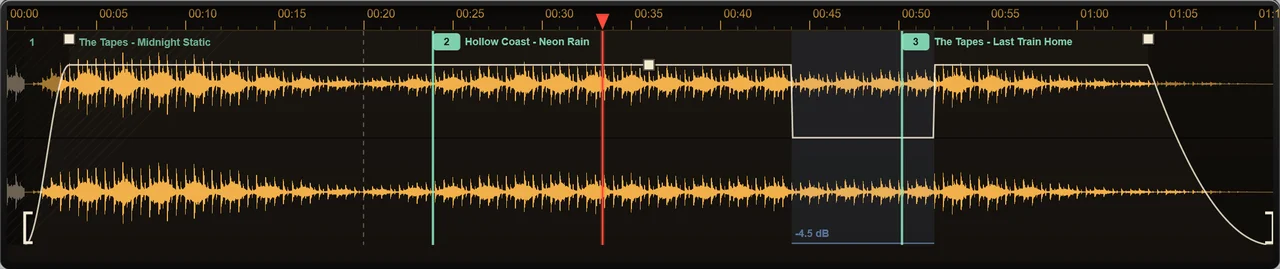
No song info? It splits at the silences, or press MARK to start a new song yourself.
Record, shape, clean up and save.
A few familiar controls. Room to go further.
Slowed + reverb in one click: SUBTLE, CLASSIC and HEAVY presets based on the popular edits, a real hall with size, decay, pre-delay, damping and width, and your own sounds saved as presets.
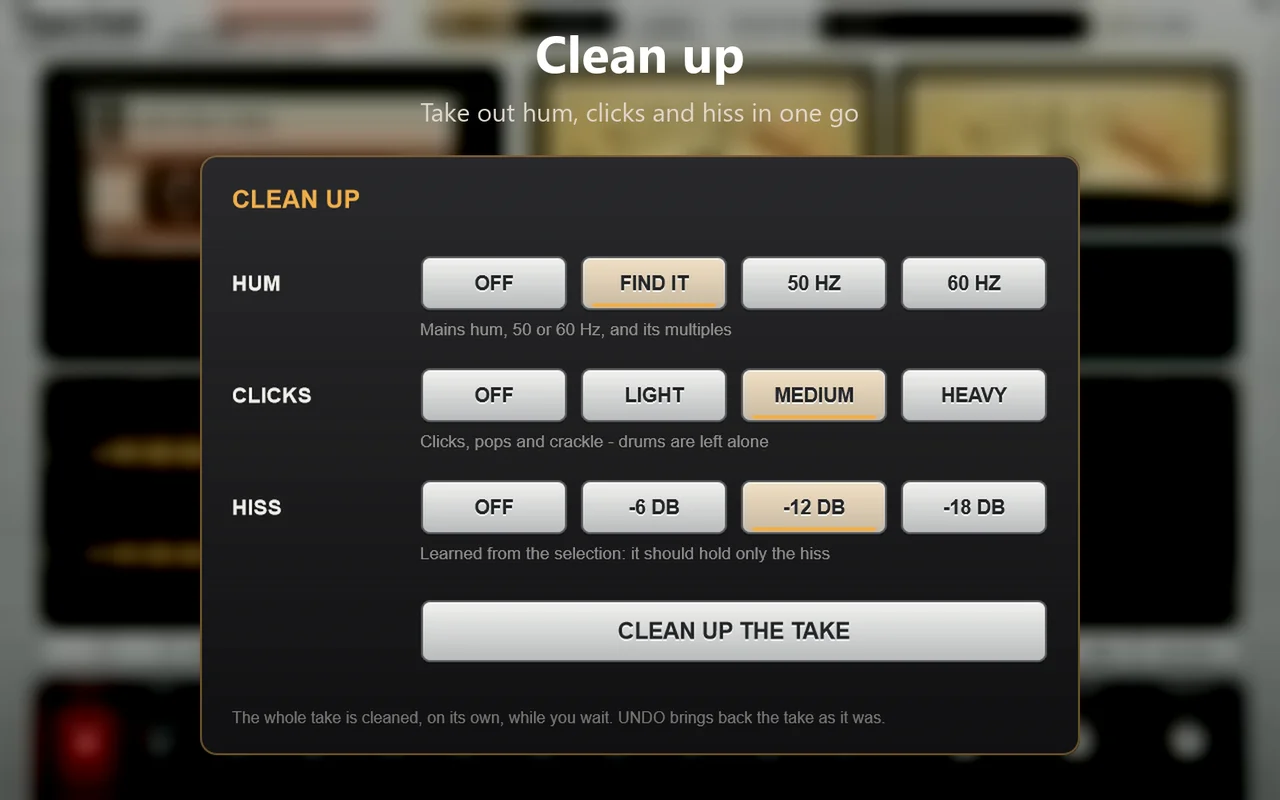
Take out mains hum (50 or 60 Hz, found for you), clicks and crackle, and hiss. UNDO brings the original back.
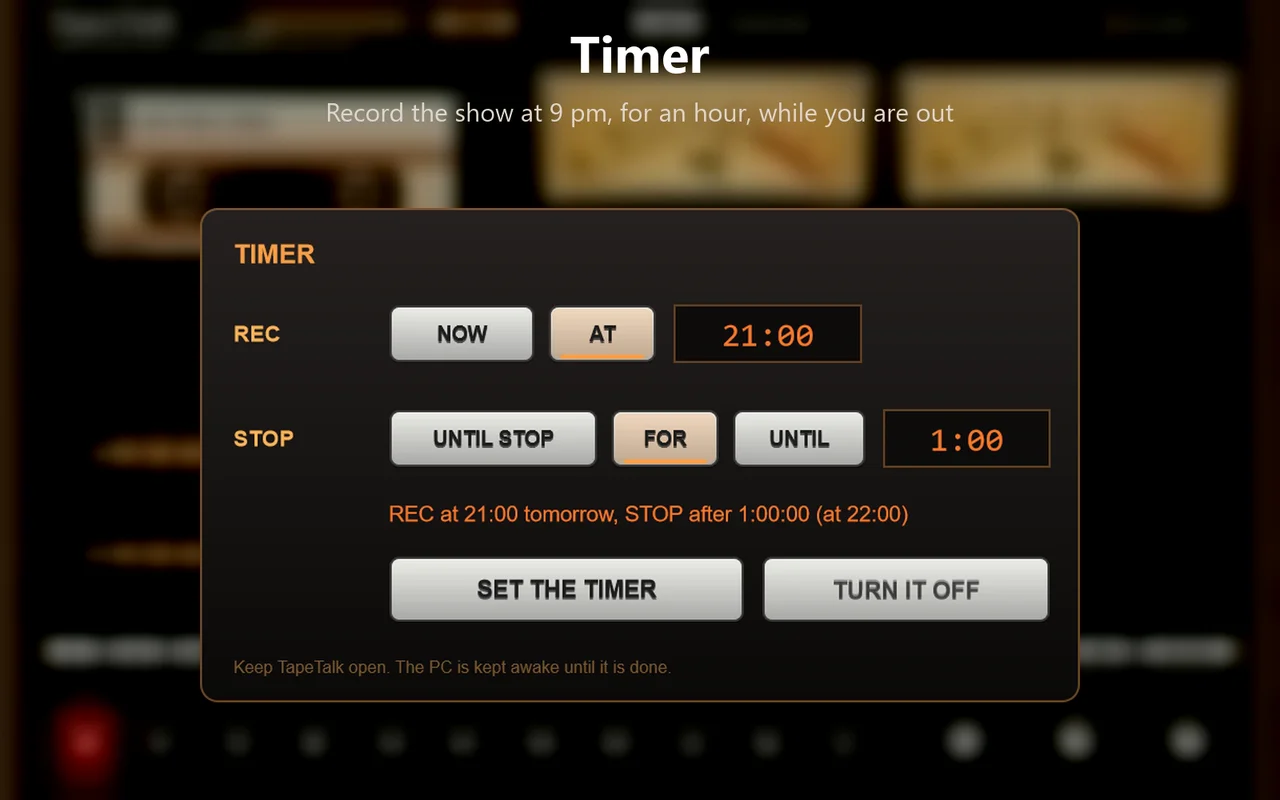
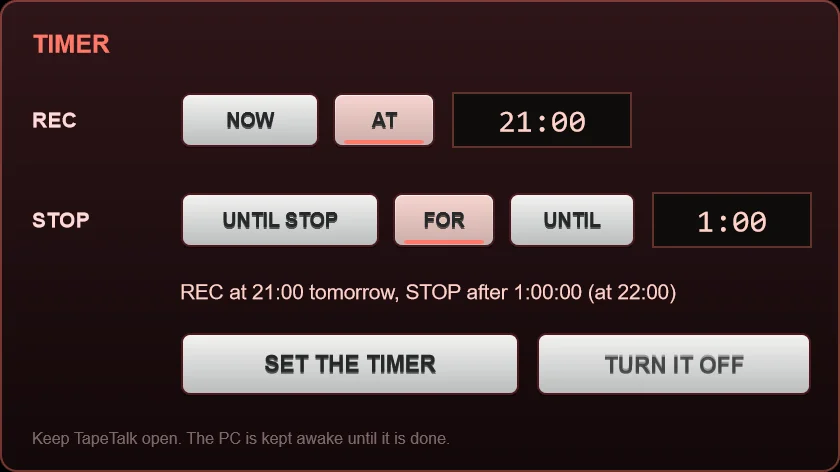
Record at 9:00 pm for an hour, or until 11:00. The PC is kept awake until it’s done.

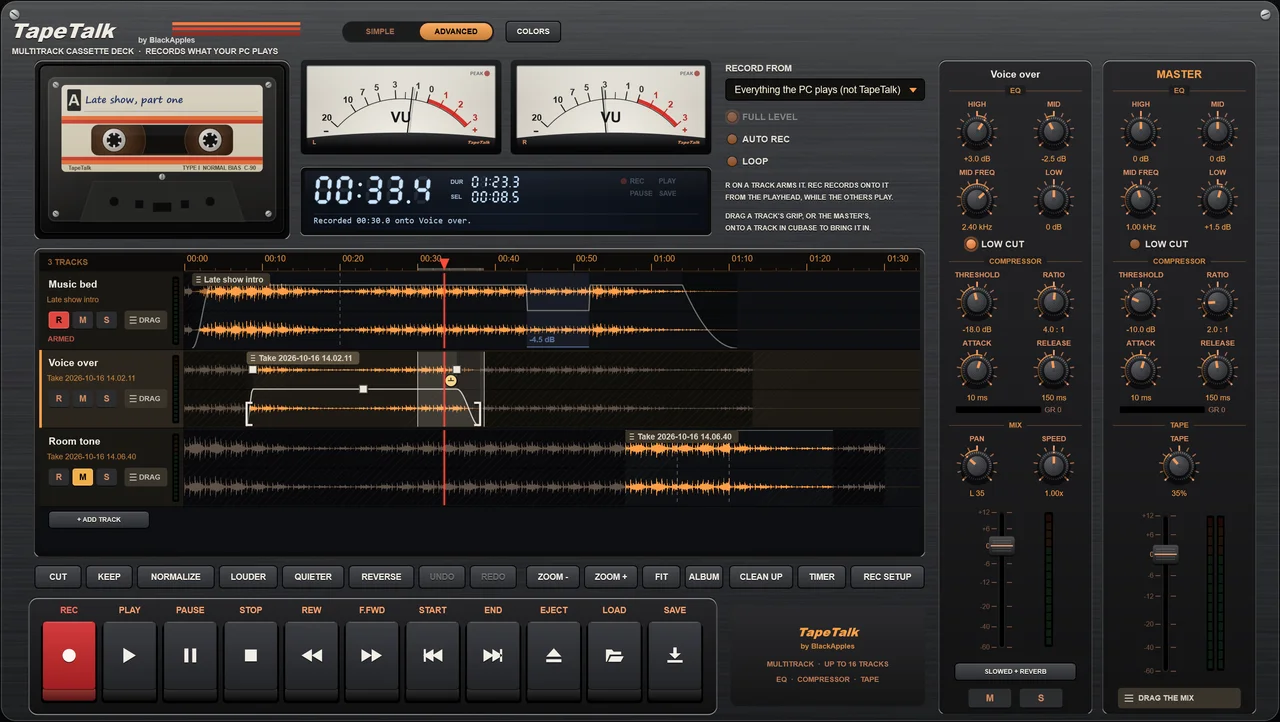
Advanced mode: up to 16 tracks, each with EQ, compressor, pan, speed and slowed + reverb.
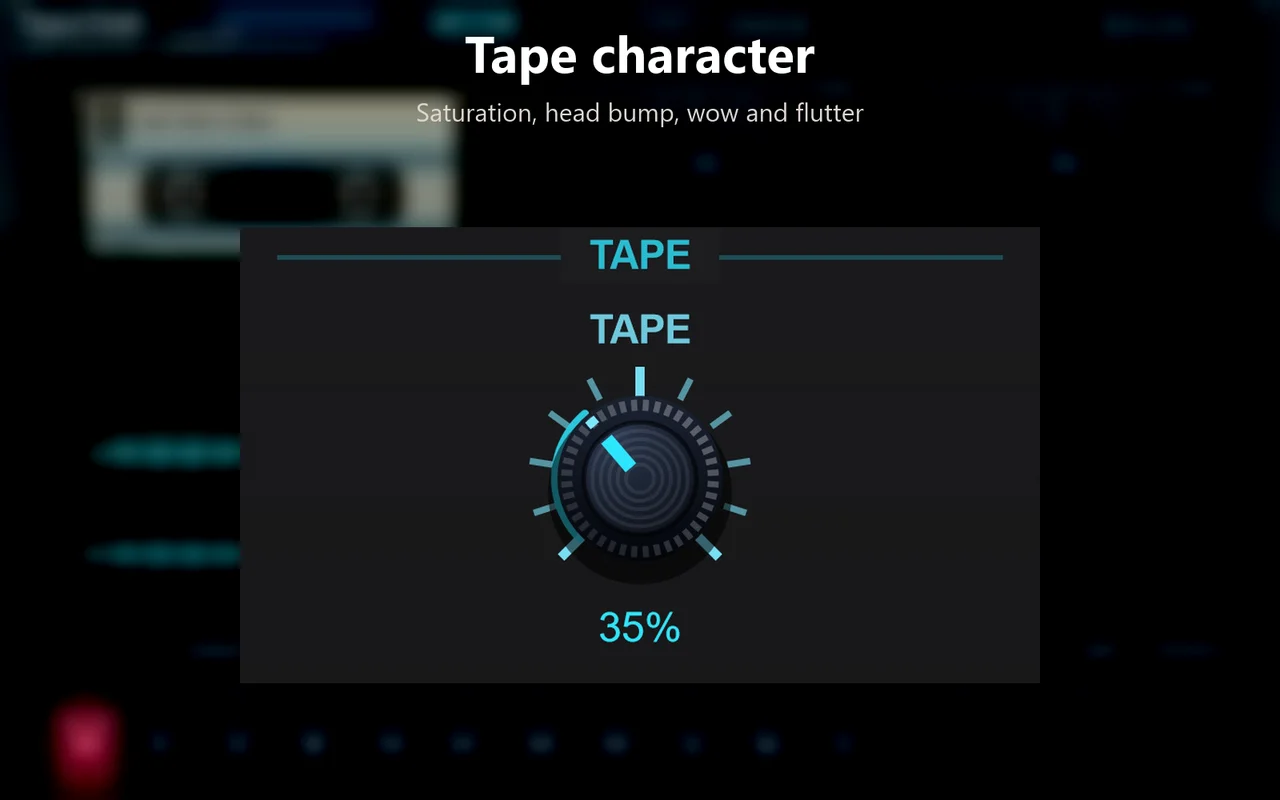
TAPE on the master: saturation, head bump, wow and flutter.
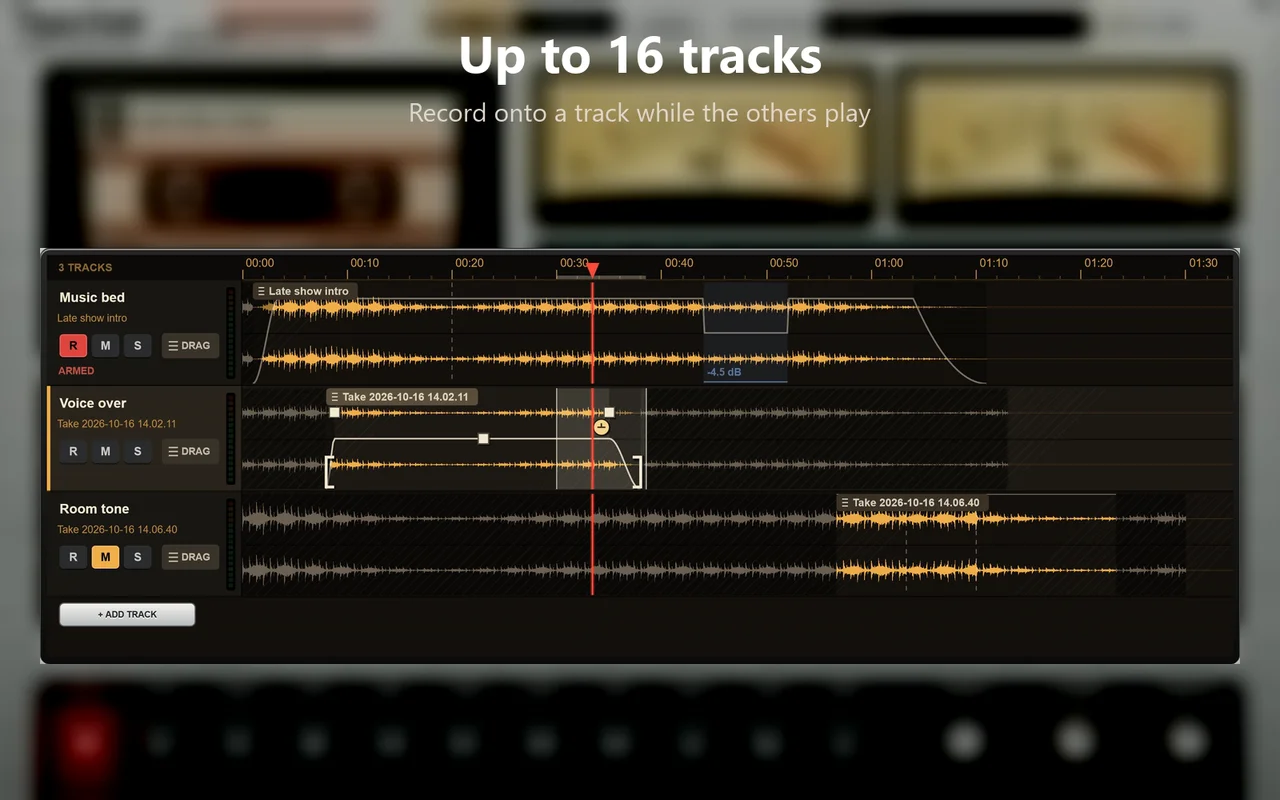
Record onto one track while the others play, then save the mix, stems that line up in your DAW, or the whole tape.
Drop in files or a folder and turn them all into WAV, FLAC, MP3, OGG or AAC (.m4a). Every file is a cassette, its tape winding as it converts. Your originals are never changed, and titles, artists, albums and covers come along where both formats can hold them.
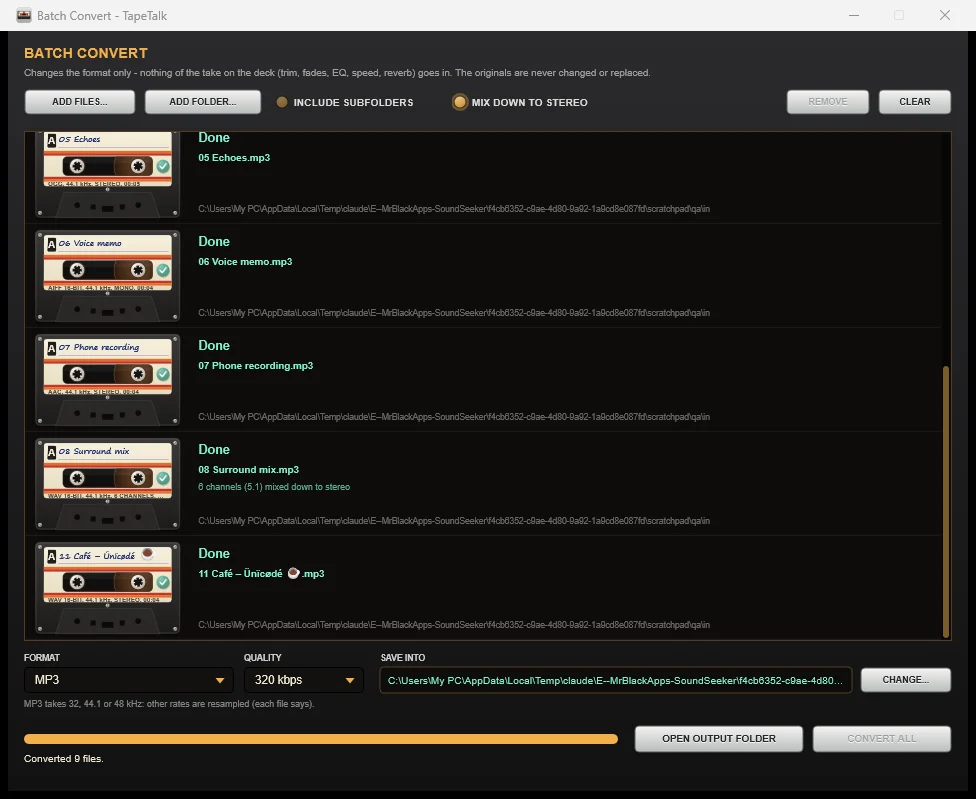
Open LOAD → Batch Convert files… in Simple or Advanced mode. Choose your format, quality and output folder, then Convert All. Progress is shown for every file, and completed files are kept if you cancel.
Reads WAV, AIFF, FLAC, Ogg Vorbis and MP3. Multichannel mixdown is optional and off by default. Also reads M4A/AAC, WMA and ALAC using Windows codecs. Opus input needs Microsoft’s free Web Media Extensions. Windows N editions need the Media Feature Pack for Windows-based codecs.
What’s new in 1.4.3 ↗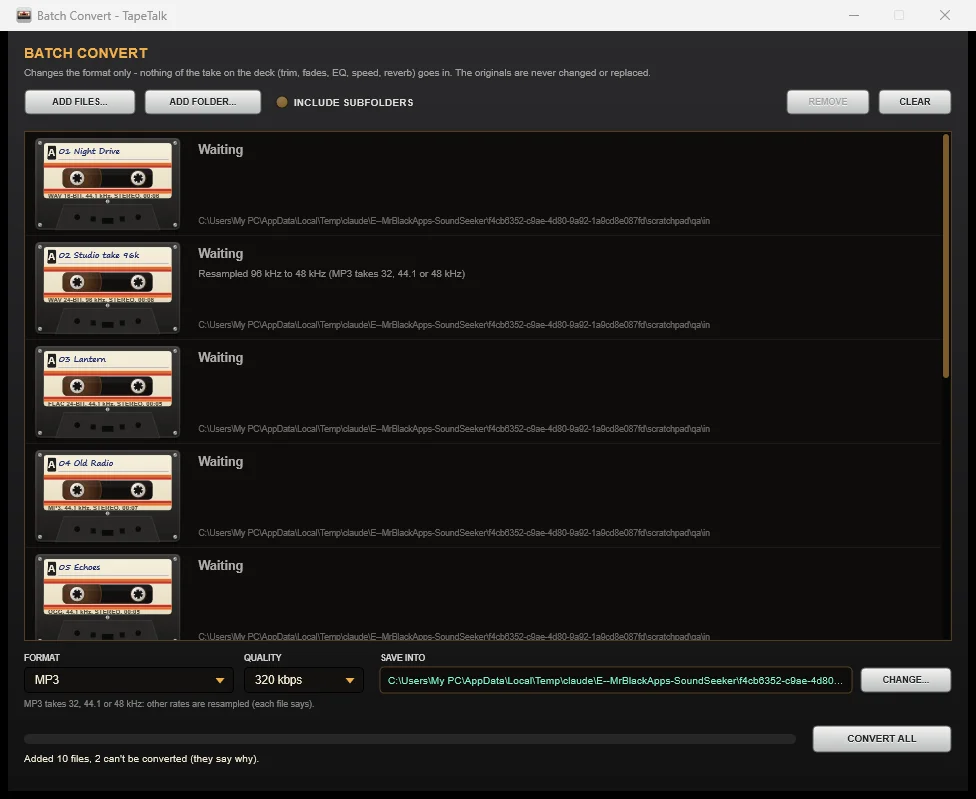
NORMALIZE to -14 LUFS (Spotify, YouTube, TikTok), -16 LUFS (Apple Music, podcasts) or -23 LUFS (broadcast), measured the way they measure it, without letting the peaks clip.
Spotify · YouTube · TikTok
Apple Music · Podcasts
Broadcast
Trim, cut, keep, four fade shapes, volume, turn any part up or down, all by dragging on the waveform. Unlimited undo. Drag a selection straight out into a folder, Cubase or any program.
Save it the way you need it.
A song comes on, and you already have the start.
One tagged file per song, with covers.
Set the timer.
Presets built for the sound.
Select, drag, done.
Hum, clicks, hiss.
Multitrack, stems, drag to your DAW.
Most PC recorders do one job: they record, or they edit. TapeTalk takes you from the moment the sound plays to a finished, named, tagged file, in one window that’s a joy to use.
Works offline. No account, no tracking. Your recordings stay on your PC. Never uses a microphone.
CHECK FOR UPDATES connects only when pressed. It sends no Machine ID, activation code or recordings. Downloads and licence checkout use this website.Try every feature for 14 days.
No credit card. No account.
 TapeTalk FOR WINDOWSONE-TIME
One-time. Yours to keep.
Secure checkout · activation code shown automatically after payment.
Already own TapeTalk? See what’s new.Before checkout: open TapeTalk and copy its Machine ID, enter it with your name at checkout, and your activation code appears automatically after payment. Paste it into TapeTalk on that PC using the same name.
Windows 10 (version 2004 or later) or Windows 11, 64-bit · about 8 MB installed · no admin rights needed · no internet needed
v1.4.3 · Setup download 4.7 MB
New in 1.4.3: More input formats, including M4A/AAC, WMA and ALAC, optional Opus support, and a manual Check for updates button. Read the release notes ↗
Yes. Open LOAD > Batch Convert files… in Simple or Advanced mode. Read WAV, AIFF, FLAC, Ogg Vorbis or MP3 and write WAV, FLAC, MP3, OGG or AAC (.m4a). Enable MIX DOWN TO STEREO for supported multichannel files, including 5.1 and 7.1. Also read M4A/AAC, WMA and ALAC through Windows. Opus input requires Microsoft’s free Web Media Extensions.
Yes. Version 1.4.3 uses the same activation system. Your existing valid code works on the same PC, and Batch Convert is included without another purchase.
It records anything your PC plays through Windows. Please record only what you have the right to, and respect the terms of the services you use.
Never. It only records what your PC plays.
TapeTalk works offline. It checks online only when you click its badge, then CHECK FOR UPDATES. The request contains no Machine ID, activation code or recordings. There are no app accounts or tracking. Downloads and licence purchases use this website; Stripe processes checkout.
Yes, when the app playing them tells Windows what’s playing (Spotify, browsers and most media players do). Otherwise it splits at the silences, or you press MARK.
Drag a selection, a track or the whole mix out of TapeTalk onto a track in your DAW. It can’t record a DAW’s own output when the DAW plays through an ASIO driver (that bypasses Windows); use the DAW’s export for that.
Windows only for now.
TapeTalk asks for an activation code. Copy the Machine ID shown in TapeTalk and enter it with your name at checkout. Your code appears automatically on the payment confirmation page. Paste the code into TapeTalk on that PC using the same name.
Licence transfers and future-update terms are to be confirmed. Contact mrblackpasta@gmail.com with questions before purchasing.